Insights
Engineering
Your browser agent needs a receipt for every finished task
A new WebArena-Lite audit shows why an agent’s final answer and an evaluator’s score both need checking against the actual task outcome.

A browser agent can navigate to the right page, fill most of a form, and still leave the job unfinished. Its final answer can sound almost identical to the answer it would give after a successful save.
There is another possibility: the job succeeded, but the automated evaluator checked the wrong thing and called it a failure.
The completion record should show what was requested, what changed, and what the destination actually confirms. That lets you investigate both kinds of mistake.
What the new research examined
An October 1 paper on WebArena-Lite audits 165 browser tasks across six evaluation conditions. The authors report that human review recovered 5.45 to 8.49 percentage points of success missed by the automatic evaluator across four GPT-5.5 settings.
Their review of failed trajectories also identified scrolling loops, premature answers, invalid actions, and incomplete form workflows.
These are findings from the authors’ benchmark setup, not measured failure rates for your software. The practical question they raise is useful beyond the benchmark: does your verification inspect the task that was actually requested?
Define “finished” before opening the browser
Consider a hypothetical internal task: update a draft vendor record with a new reference number.
A vague instruction is “update the vendor and make sure it worked.” A clearer task names the exact record, the allowed field, the intended value, and the evidence required afterward.
For this example, completion means the correct record displays the intended reference after a fresh read. Filling the field is an intermediate step. Clicking Save is another intermediate step. Neither alone establishes the saved state.
For a read-only task, the receipt can be smaller: the requested information, its source, and when it was observed. Match the proof to the job.
Capture a receipt that helps the next person
The receipt should distinguish four things:
| Field | Example in this illustrative task |
|---|---|
| Requested | Change one reference on the specified draft vendor record |
| Attempted | Opened the record, edited the allowed field, pressed Save |
| Observed | Fresh read shows the intended reference on that record |
| Unresolved | Any warning, missing confirmation, or inaccessible follow-up check |
Include the destination’s stable record ID when available. A screenshot can help explain a state, but a screenshot of a filled form is not a saved-record confirmation.
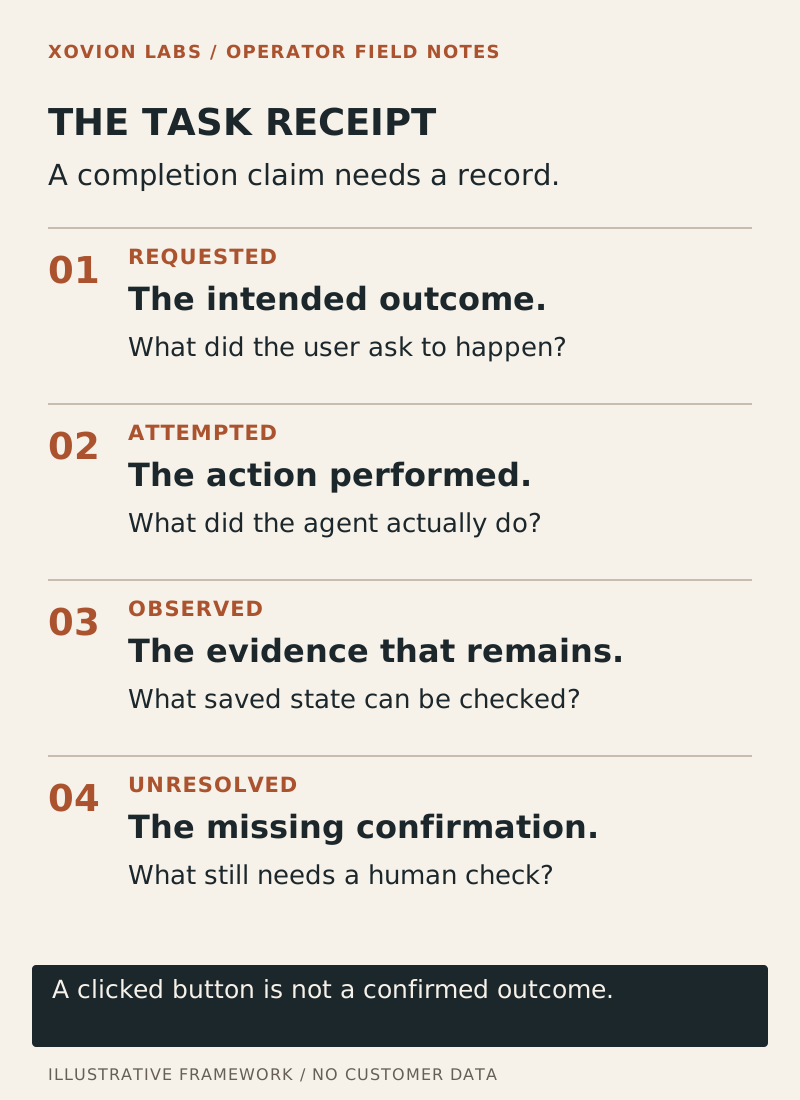
If the fresh read fails, the correct report is narrower: “Save was attempted; the final state could not be confirmed.” That gives a person enough information to continue without repeating the action blindly.
Run a small, controlled evaluation
Use a sandbox with three authorized tasks: a normal edit, a rejected edit, and an edit where the confirmation is interrupted. Create no real customer communications or bookings for this exercise.
Define the expected outcome for each task first. Have the agent produce the receipt, then have a person check the saved state independently.
Count two errors separately: claimed completion without confirmed completion, and actual completion incorrectly marked failed. Also record duplicate actions and work that required manual recovery.
A useful first target is that every uncertain outcome remains explicitly uncertain. That is a proposed acceptance rule, not a performance result from the paper.
Stop the recovery loop from making things worse
When an action might already have succeeded, repeated clicking can create another problem. Before retrying, inspect the destination for the record or value the first attempt may have created.
If inspection is unavailable, hand over the uncertainty with the task identifier and last observed state. Do not turn a missing receipt into a second unverified action.
This is especially useful when one person supervises several agents. The receipt becomes a short handoff: what changed, what is proven, and what needs attention.
Keep the boundary visible
The paper does not establish that human review catches every error, or that a receipt makes an agent safe for every task. Sensitive workflows need controls suited to their consequences.
The immediate improvement is modest and testable: take one task your agent currently calls “done” and specify the destination evidence required to support that word.
Read Your Agent Says Everything Worked. That’s the Problem. for the broader completion-verification pattern. This article adds a concrete browser-task receipt and a test for evaluator errors.
Source and scope
Gan and coauthors: Auditing Web Agent Evaluation on WebArena-Lite, submitted October 1, 2026. The research scope is the reported benchmark. The vendor-record workflow and acceptance test are illustrative, not Xovion experimental results.